Arty
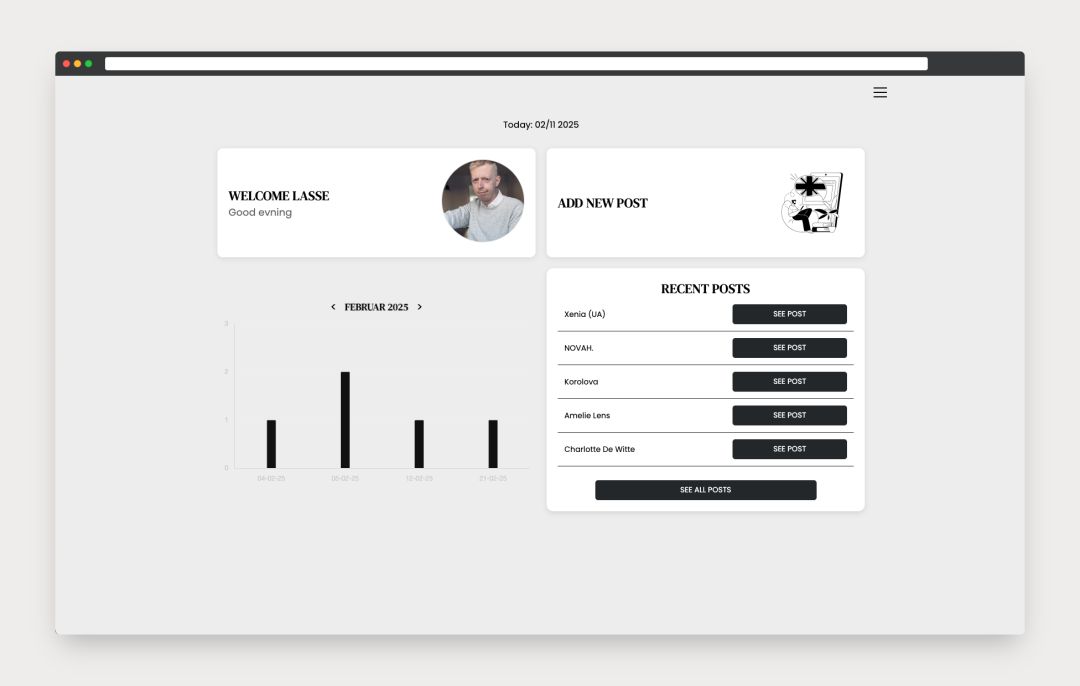
Arty is a boilerplate setup that combines a clean, minimalistic frontend with a fully custom-built CMS developed in PHP and SQL. It’s designed as a flexible foundation for blogs, art portfolios, hobby projects, or creative side hustles - providing both structure and freedom to build something unique.
The frontend emphasizes simplicity and scalability. Every component is written with clarity in mind, making it easy to adjust layouts, experiment with colors, or integrate your own design system using plain HTML, CSS, and JavaScript. This makes Arty ideal for developers and designers who prefer working close to the code rather than relying on heavy frameworks or page builders.
On the backend, the custom CMS offers a streamlined dashboard that gives you a clear overview of posts, categories, media uploads, and user management - all wrapped in a lightweight and intuitive interface. It’s built for speed and efficiency, so you can focus on content creation and creative expression instead of wrestling with configuration or bloat.
I created Arty to simplify my workflow when launching new client websites. Instead of rebuilding the same structural elements for every project, I wanted a reusable yet customizable base that could adapt to each client’s style and purpose. With Arty, I can spin up a new site in minutes while still maintaining full creative control over design and functionality.
And just as a personal touch - since I’m a big techno fan — you’ll notice images of some truly sublime artists throughout the demo. They serve as both inspiration and a small tribute to the aesthetic energy that fuels my creative process.
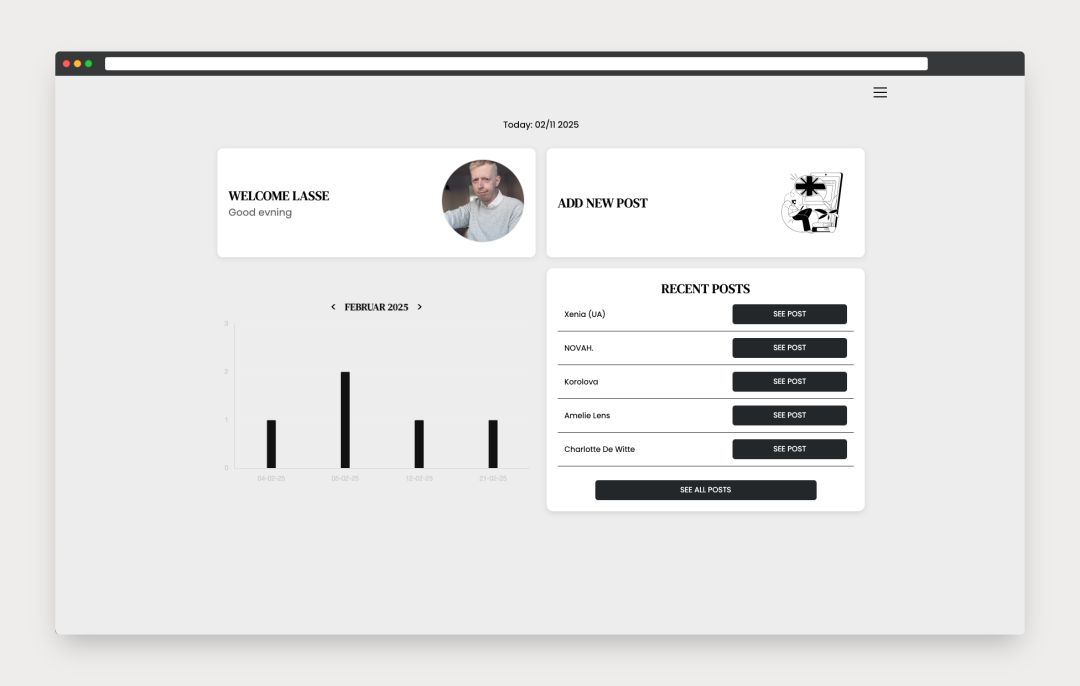
Once logged in, users are greeted by an intuitive dashboard displaying key stats such as the total number of posts, quick access to upload new entries, and an overview of the five most recent posts.
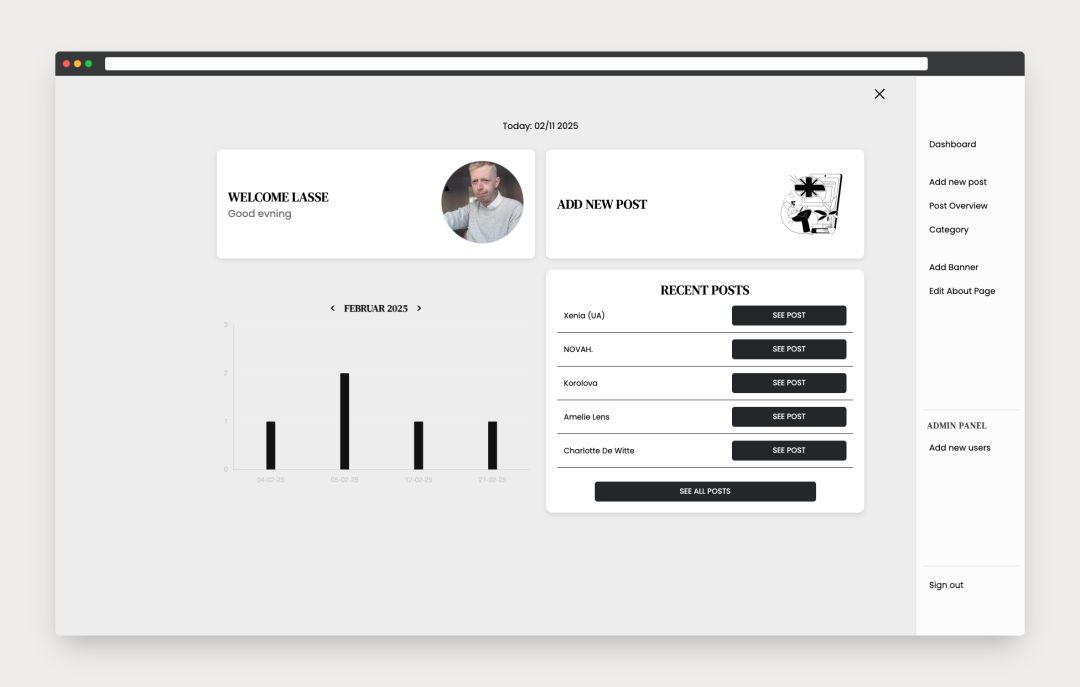
The admin navigation provides several customization options - including adding categories, updating the hero image, and editing the About section. Admin users also gain access to an additional module for managing user accounts.
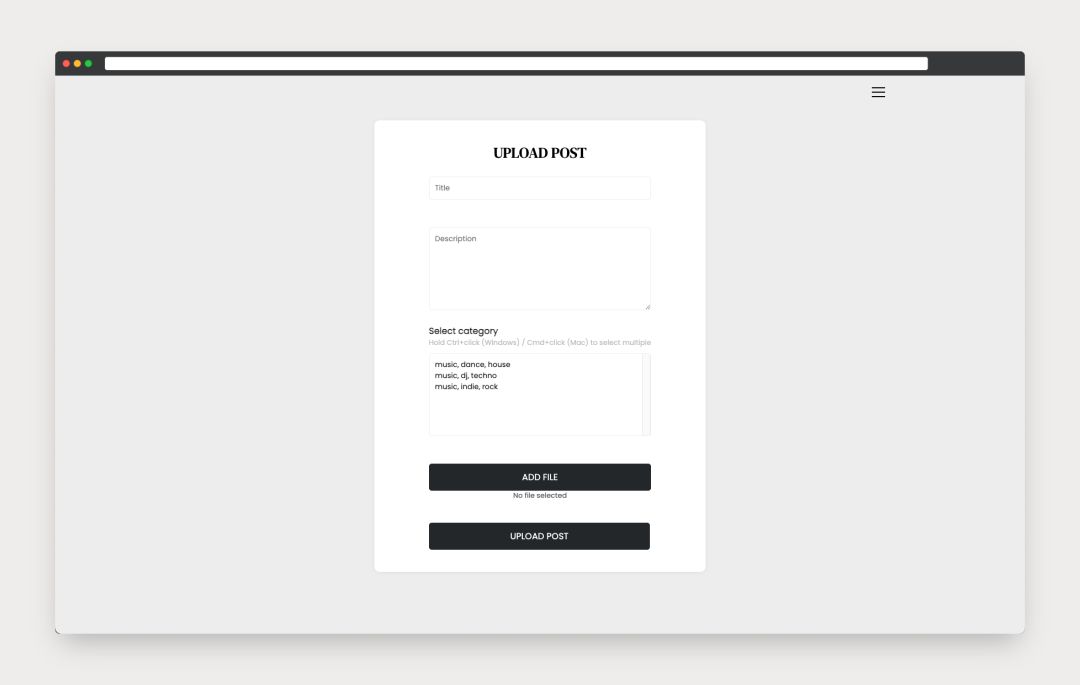
The Add New Post page features a simple form to input a title, body text, select a category, and upload an accompanying image.
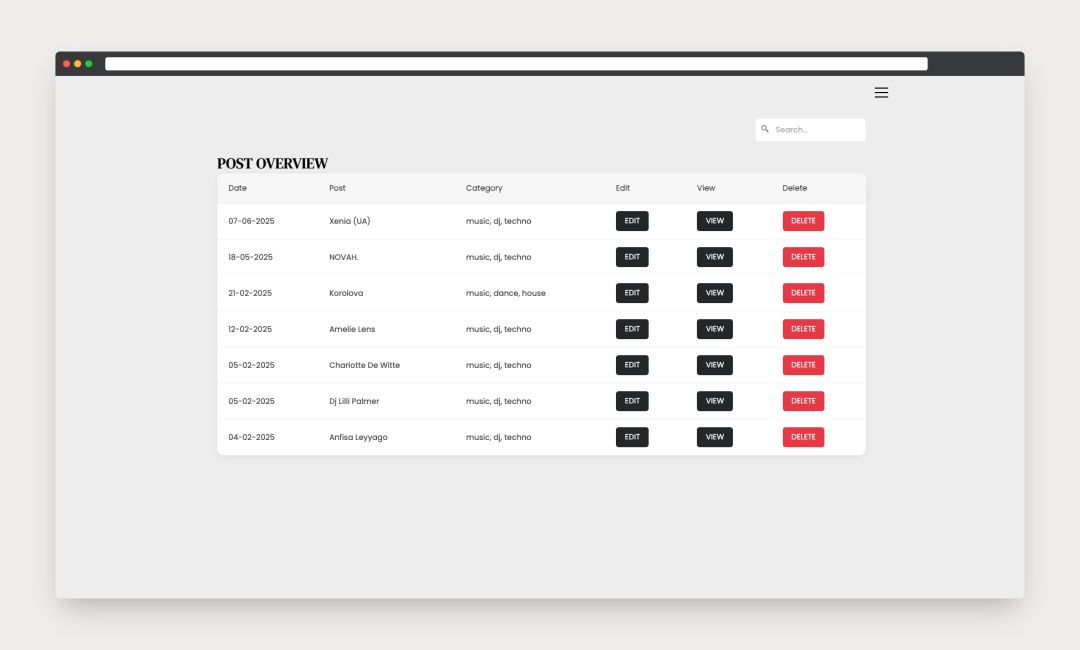
All posts are displayed in an overview table showing the publication date, assigned category, and quick options to view, edit, or delete. An AJAX-powered search makes it easy to filter posts by name or category in real time as you type.
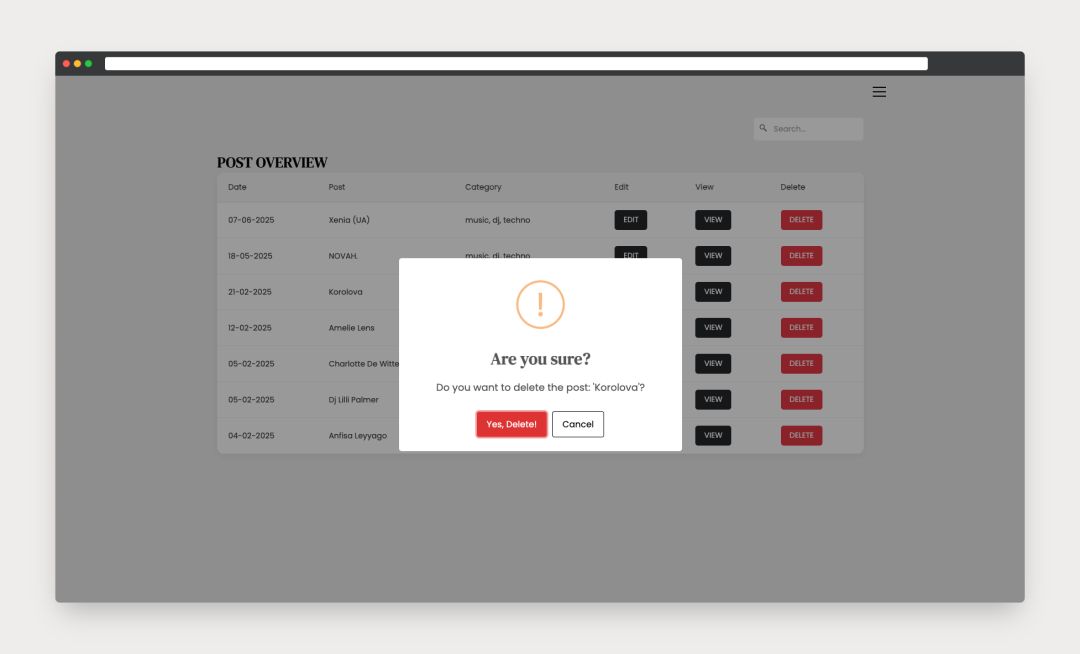
Before deleting a post, users are prompted with a confirmation step to prevent accidental removals - ensuring safety and control when managing content.
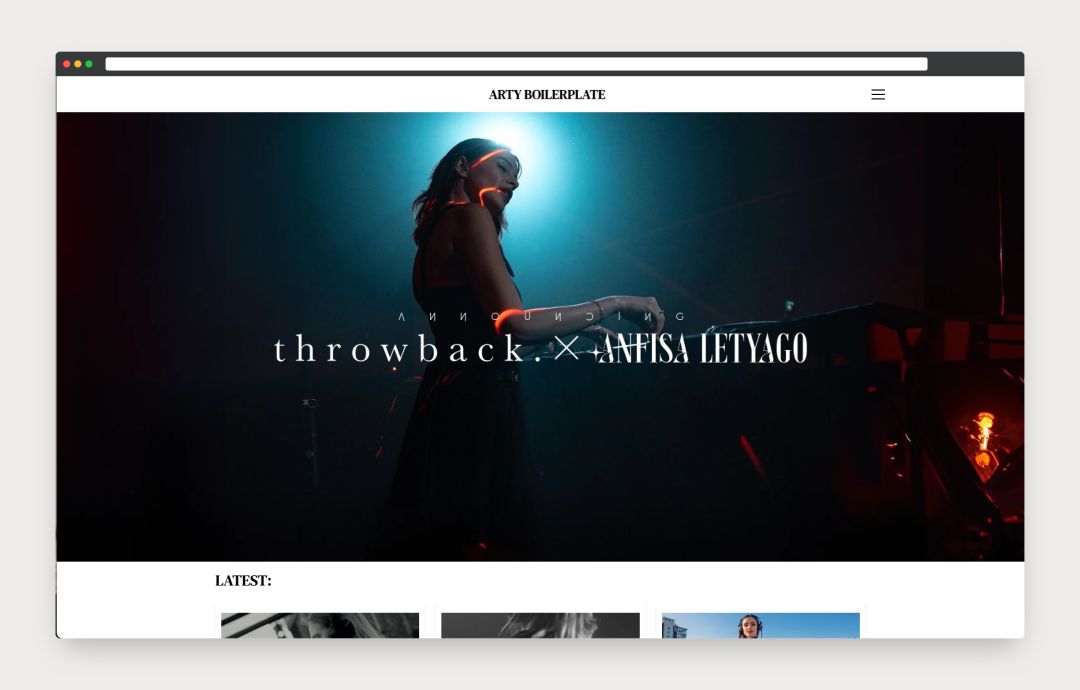
The homepage welcomes visitors with a large hero section, a clean navigation bar, and a list of the latest blog posts, along with an option to view all posts.
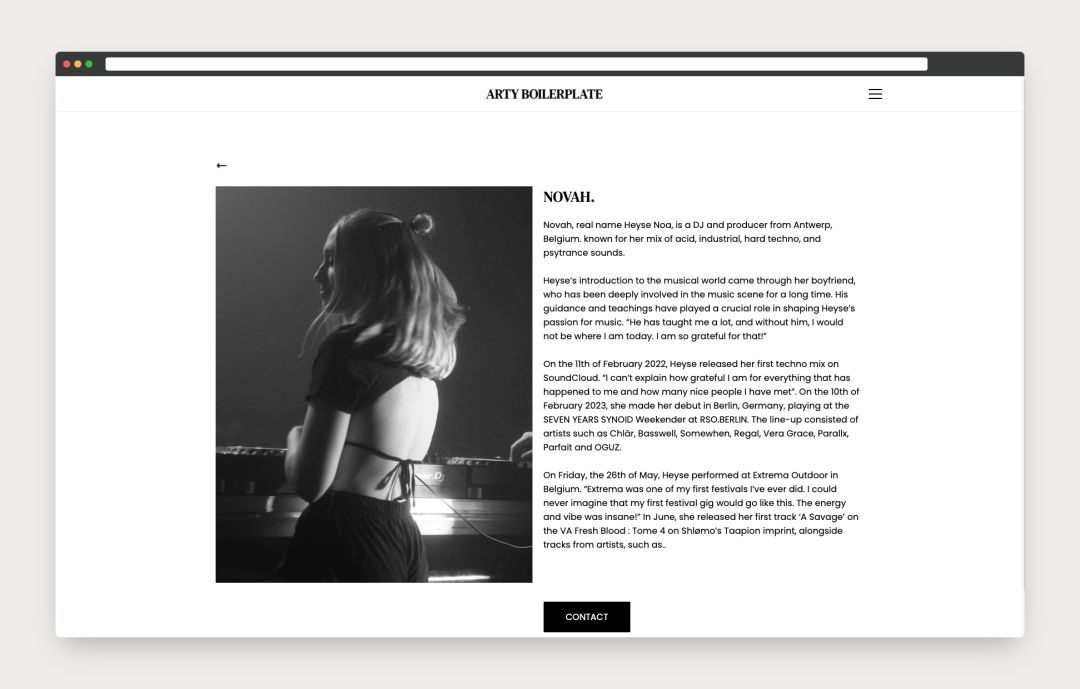
Each blog post is presented with its featured image and text in a clean, minimal layout for an enjoyable reading experience.
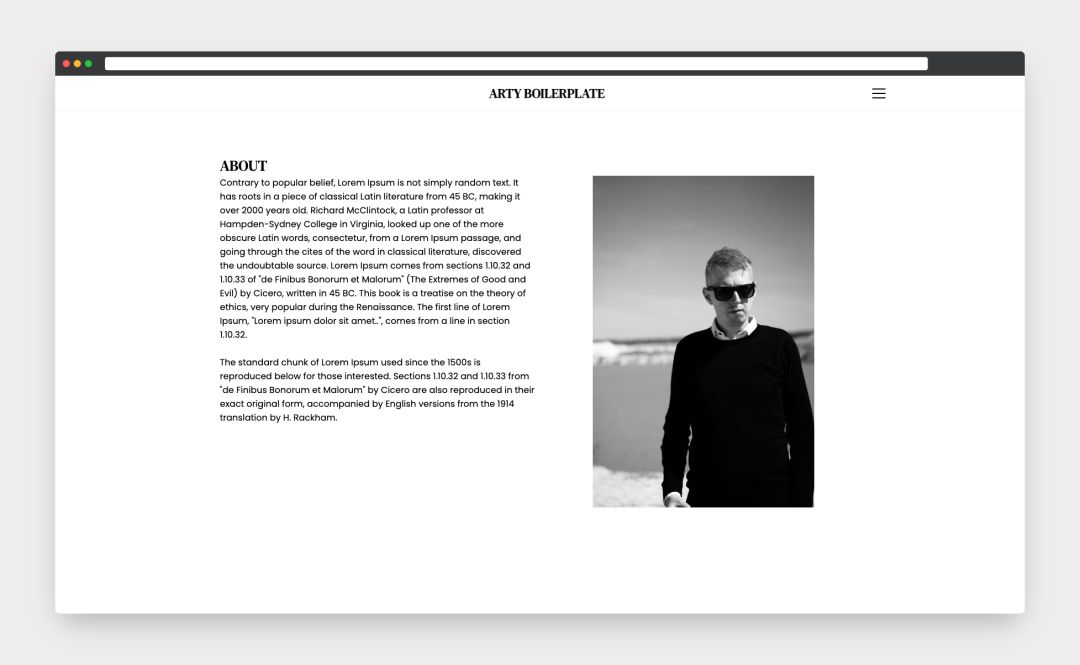
A dedicated About section can be added to introduce the person or brand behind the site. The layout automatically adjusts depending on the image orientation, keeping the design cohesive with the rest of the boilerplate.